
Automatically shade the full Globex session's high-to-low range across all Globex bars. Configurable time window (default 5:00 PM → 8:30 AM), adjustable opacity, and custom color. Built for futures traders on NinjaTrader 8 who need clear visual separation between Globex and RTH.
Back to IndicatorsShades from the session's highest price to lowest price across all bars within the Globex window.
Set Globex Start and Globex End times. Handles overnight sessions that cross midnight.
Control transparency from 1–100% to keep your chart readable while highlighting the Globex range.
Choose any color via the Shade Brush property. Default is gray for subtle contrast.
Uses SharpDX for smooth, hardware-accelerated fills — no performance impact on large datasets.
Calculates on each tick (OnEachTick) and retro-fills finalized sessions for historical accuracy.
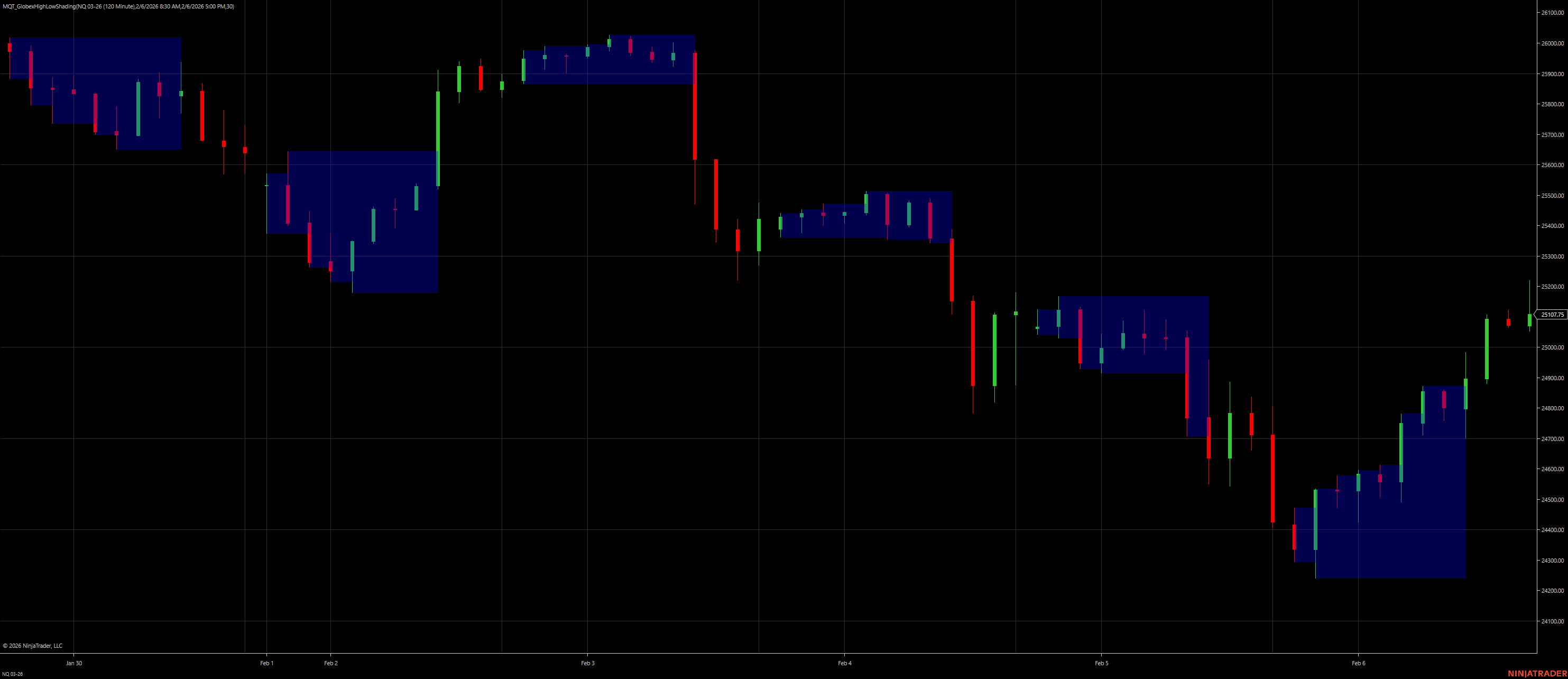
Blue shaded zones show Globex high-to-low ranges
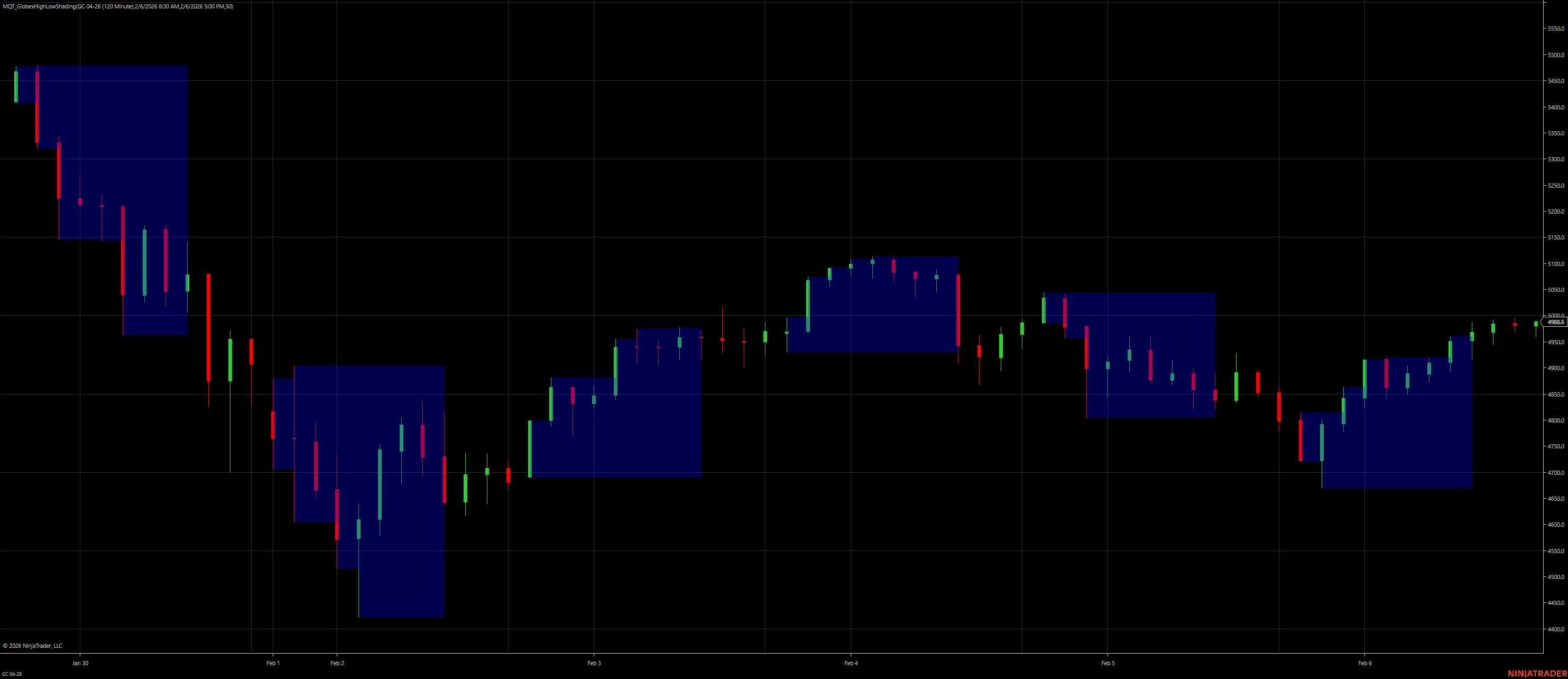
Each Globex session gets its own shaded band
Checks each bar's timestamp against your configured time window.
Maintains running high/low for the current Globex session.
When the session ends, retro-fills all bars with the final high/low.
Uses Direct2D to fill rectangles from high to low for each visible bar.
| Parameter | Description | Default |
|---|---|---|
| Globex Start | Start time of the Globex session (time-of-day only; date ignored). | 17:00 (5:00 PM) |
| Globex End | End time of the Globex session (time-of-day only; date ignored). | 08:30 (8:30 AM) |
| Opacity % | Transparency of the shaded fill (1–100). | 25 |
| Shade Brush | Color of the shaded fill. Selectable via color picker in NT8. | Gray |
Yes. The indicator handles time windows that cross midnight (e.g., 17:00 → 08:30).
Yes. Use the Shade Brush property to select any color.
No. Direct2D rendering is hardware-accelerated and highly efficient.
No. Once a session ends, the high/low is finalized and retro-filled.
Yes — minute, tick, second, or daily charts all work.