
MQT_BarTimer displays a large “Time remaining” countdown for intraday time-based charts. Configure yellow/red thresholds, flashing speed, drag-and-drop placement, and optional sound alerts (including multi-sound modes like First/Random/RoundRobin). Perfect for scalpers and active traders who need bar timing at a glance.
Back to Indicators
Displays a clear countdown message (Time remaining: HH:MM:SS) designed for intraday, time-based bars.
Turn the text yellow under YellowUnderSeconds and flash red
under FlashRedUnderSeconds with configurable speed (FlashToggleMs).
Enable EnableDragDrop to move the countdown anywhere on the chart and persist its position using
internal DragX/DragY.
Play optional sounds when thresholds are crossed:
EnableYellowSound / EnableRedSound, each with its own selected file and volume.
Use MultiSoundMode per channel:
First, Random, or RoundRobin using a single file plus an optional list.
Dropdown merges and auto-refreshes sound files from:
Program Files, Documents, and an optional Custom folder—no restart required.
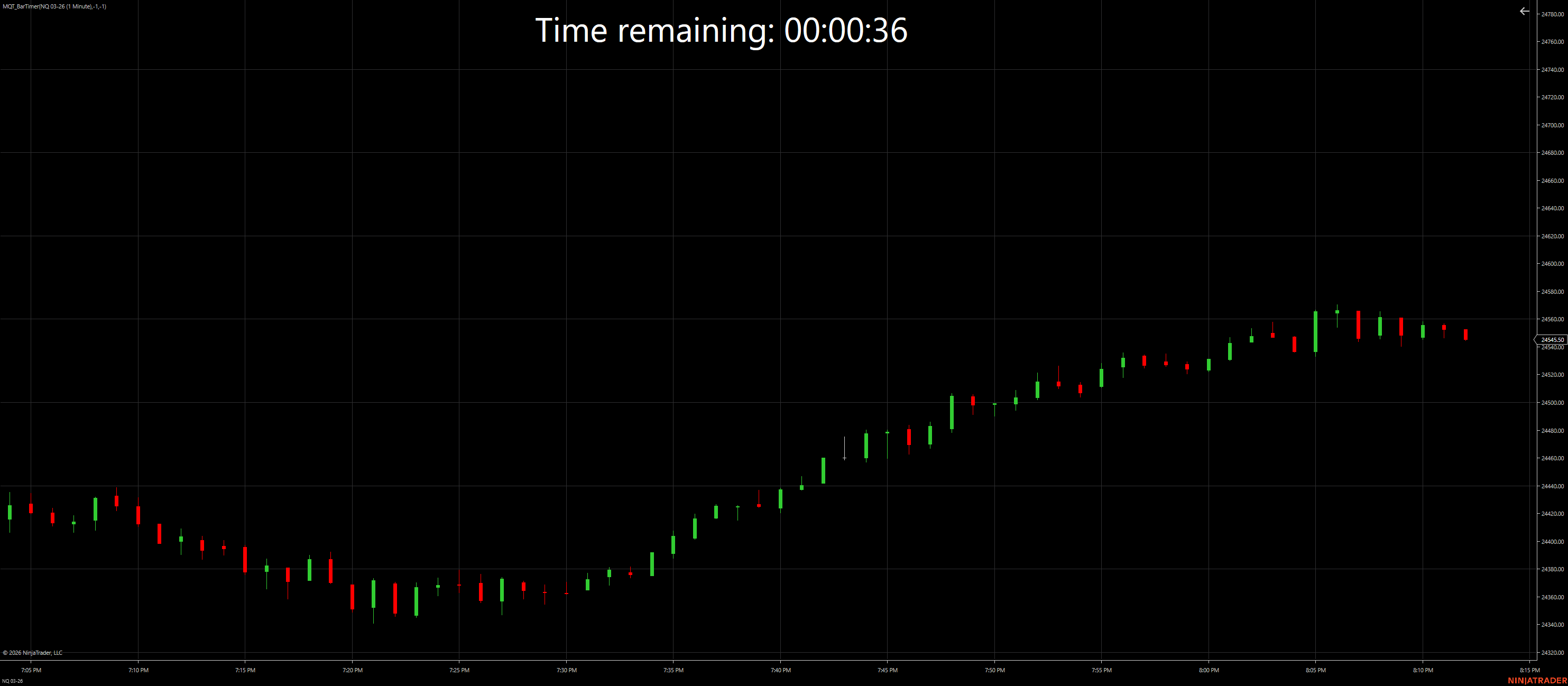
Default message while above the yellow threshold
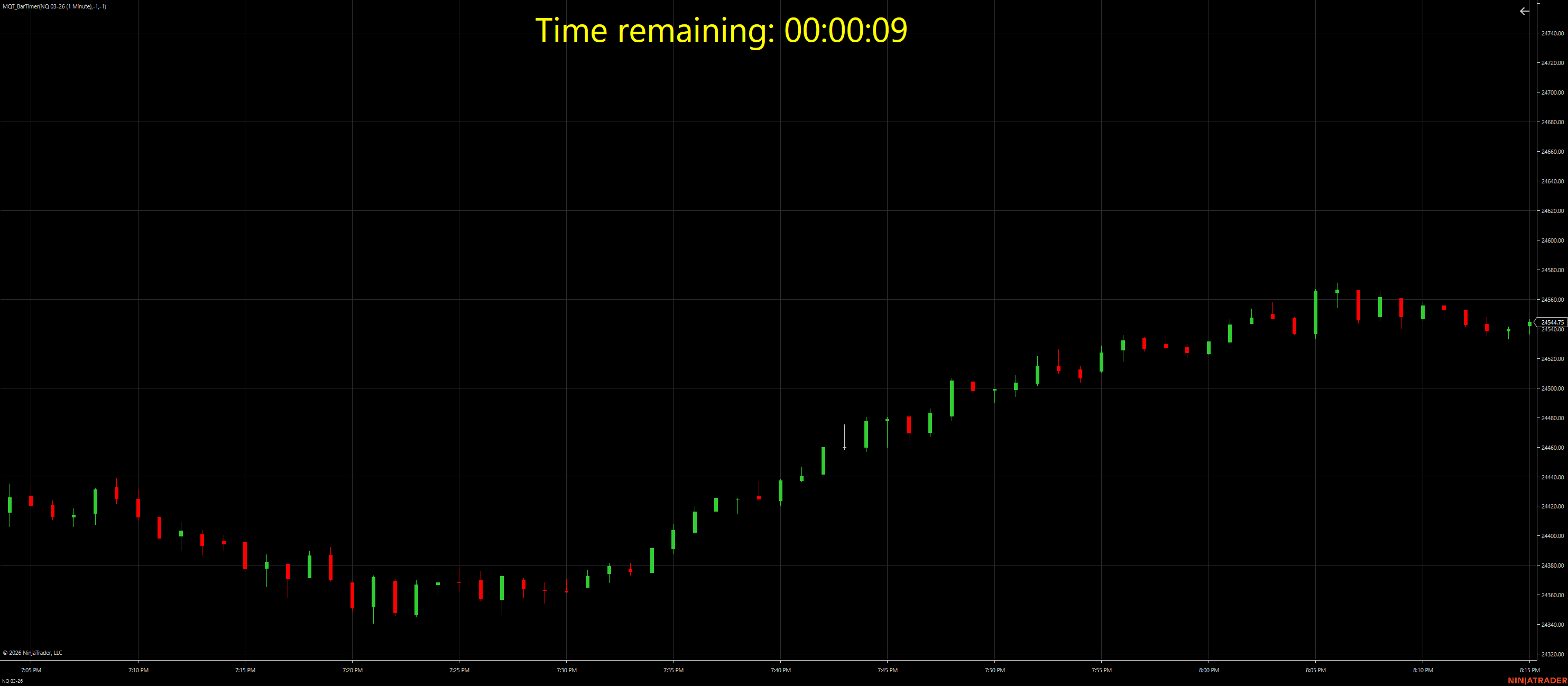
Turns yellow when time remaining is under your configured threshold
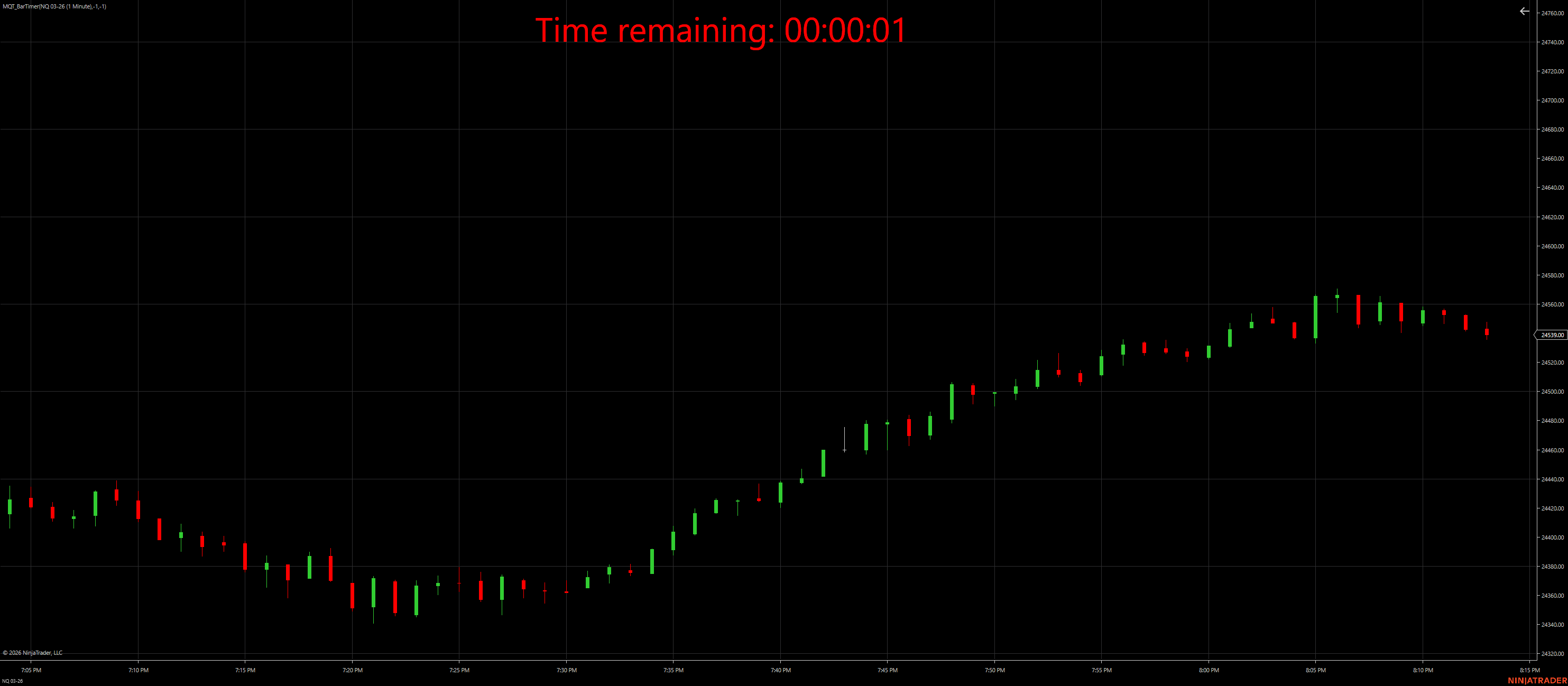
Flashes red under the red threshold to highlight imminent bar close
Works on intraday time-based bars. Displays helpful status messages if disconnected, outside session hours, or waiting on real-time data.
A dispatcher timer updates the “Time remaining” value frequently (based on your flash toggle), keeping the display responsive without needing a full bar update.
Above yellow: base text color. Under yellow: yellow. Under red: flashing red using FlashToggleMs.
Sounds can fire once when thresholds are crossed and optionally repeat during the red flash window
using RepeatRedSoundDuringFlash and RepeatRedIntervalMs.
| Parameter | Description | Default |
|---|---|---|
| TextPositionFine | Default fixed text location when drag & drop is disabled (TopLeft/TopRight/BottomLeft/BottomRight). | BottomRight |
| TextSize | Font size for the countdown text. | 16 |
| TextBrush | Base text color (used when not yellow/red-flashing). | White |
| YellowUnderSeconds | Turns the countdown text yellow when remaining seconds are below this value. | 30 |
| FlashRedUnderSeconds | Starts flashing red when remaining seconds are below this value. | 10 |
| FlashToggleMs | Milliseconds per on/off toggle while flashing red. Smaller = faster flash. | 250 |
| EnableDragDrop | Allow click-and-drag placement for the countdown text. | false |
| EnableYellowSound | Play a sound once when the countdown crosses below the yellow threshold. | false |
| YellowVolumePercent | Yellow sound volume (0–100). Implemented via brief system waveOut volume change. | 80 |
| YellowSoundFile | Primary yellow sound token (supports dropdown values like Alert1.wav [Documents]). |
Alert1.wav [Documents] |
| YellowSoundList | Optional extra sounds (comma/semicolon/pipe separated) for multi-sound modes. | (blank) |
| YellowSoundMode | Multi-sound selection mode for yellow: First / Random / RoundRobin. | First |
| EnableRedSound | Play a sound once when the countdown crosses below the red flashing threshold. | false |
| RedVolumePercent | Red sound volume (0–100). Implemented via brief system waveOut volume change. | 100 |
| RedSoundFile | Primary red sound token (supports dropdown values like Alert2.wav [Documents]). |
Alert2.wav [Documents] |
| RedSoundList | Optional extra sounds (comma/semicolon/pipe separated) for multi-sound modes. | (blank) |
| RedSoundMode | Multi-sound selection mode for red: First / Random / RoundRobin. | First |
| RepeatRedSoundDuringFlash | If true, repeats the red sound while time remaining is below the red threshold. | false |
| RepeatRedIntervalMs | Repeat interval (ms) for red sound during flash (when repeating is enabled). | 500 |
| UseCustomSoundFolder | If enabled, the dropdown includes your custom folder and the resolver searches it first. | false |
| CustomSoundFolder | Path to a folder containing .wav files (example: C:\MySounds). |
(blank) |
| PreviewYellowSound | Toggle true to immediately play the configured yellow sound (auto-resets). | false |
| PreviewRedSound | Toggle true to immediately play the configured red sound (auto-resets). | false |
| DragX / DragY | Persisted drag position (hidden properties used when drag & drop is enabled). | -1 / -1 |
It’s intended for intraday time-based bars. If you apply it to non-time-based bars, it will show a message indicating the requirement.
Yes. Enable EnableDragDrop, then click and drag the text on the chart. The position persists using DragX/DragY.
Use YellowUnderSeconds and FlashRedUnderSeconds. Control flash speed with FlashToggleMs.
Sounds can trigger once when the countdown crosses below the yellow/red thresholds. You can also repeat the red sound during the flash window with RepeatRedSoundDuringFlash.
The dropdown merges Program Files sounds, Documents sounds, and an optional Custom folder if enabled. It rescans when you open the dropdown (no restart needed).
Yes. Add extra files to YellowSoundList or RedSoundList and set YellowSoundMode / RedSoundMode to Random or RoundRobin.